back to works
Via — Start here, go anywhere. Navigation app for accessible routes and landmarks

Via

Making everyday navigation more accessible.

Role
UX/UI Designer, UX Researcher, Prototyper
Tools
Figma, Adobe Illustrator, Google Forms
Timeline
Catalyst 2024 Designathon - 2-day sprint
Team
Ruby Chen, Hyunseok Song, Tiffany Hoang

Making everyday navigation more accessible

Via is an accessibility-focused navigation app created for BU Forge's 2024 Catalyst Designathon. I worked with two other designers, helping with research, design, and prototyping. It's essentially a mobile experience that helps people better understand the accessibility and obstacles within a route and at destinations before and during a trip.

The project won 1st Place in the Accessibility Track.

Traditional navigation tools don't typically take into account people with mobility needs

Nearly 30 million adults in the U.S. experience difficulty walking or other mobility challenges. Yet many navigation products prioritize the fastest route without accounting for obstacles such as construction, inaccessible entrances, sidewalk conditions, or temporary hazards.

For people with mobility needs, these details can determine whether a route is usable at all.
We designed a navigational tool centered around accessibility, not just distance

Via helps users evaluate routes and destinations based on accessibility before they travel.

The experience combines accessibility ratings, live hazard reporting, community updates, and accessible route planning to give users more context and confidence when navigating their surroundings.


We made accessibility information visible before the journey begins

Rather than requiring users to discover accessibility issues after arriving, Via surfaces relevant information throughout the planning and navigation experience.

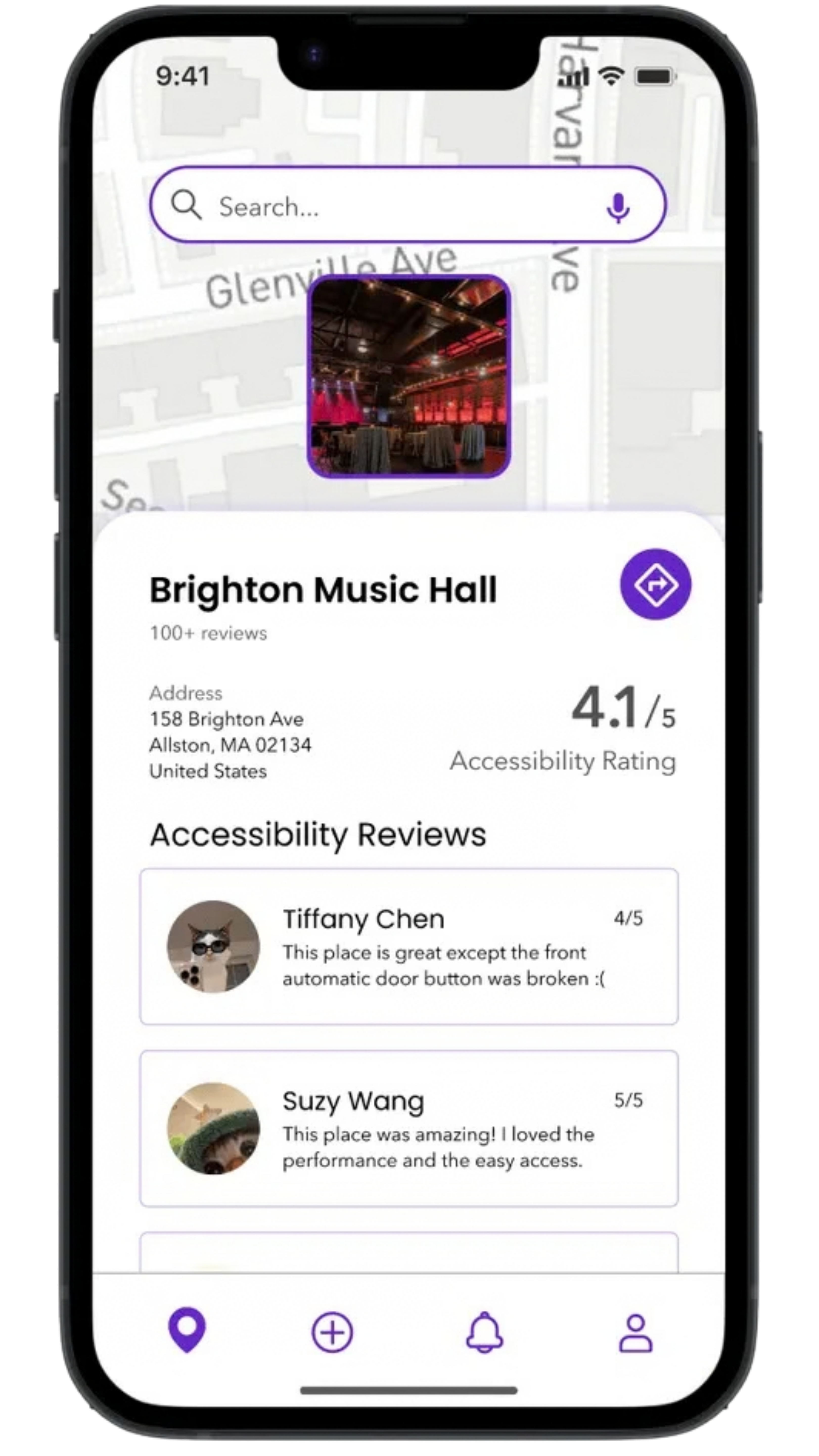
How Accessible is this Location?

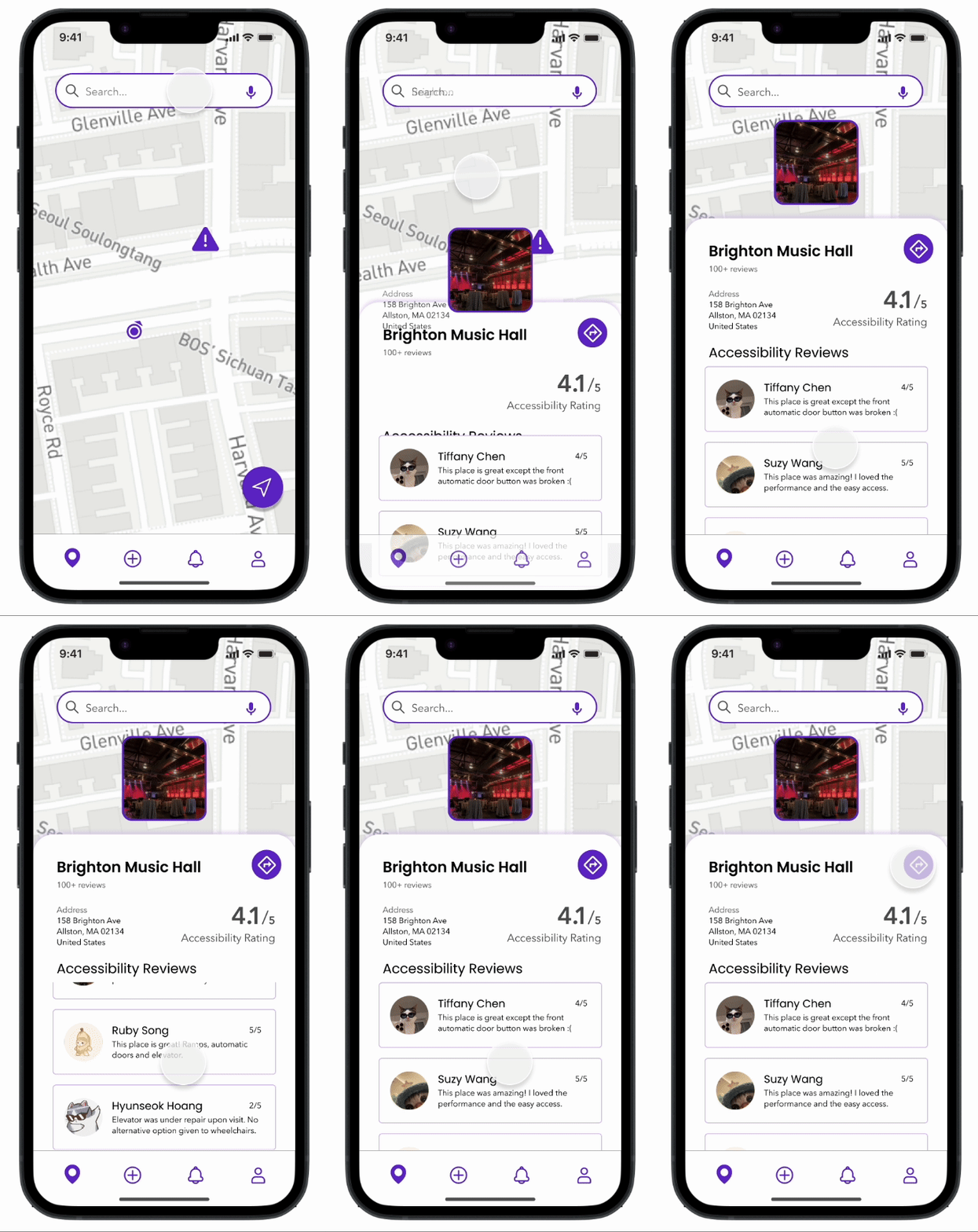
Easily check the accessibility rating of any location and read comments from others to ensure it meets your needs before you go.

Via location detail for Brighton Music Hall showing accessibility rating and community reviews
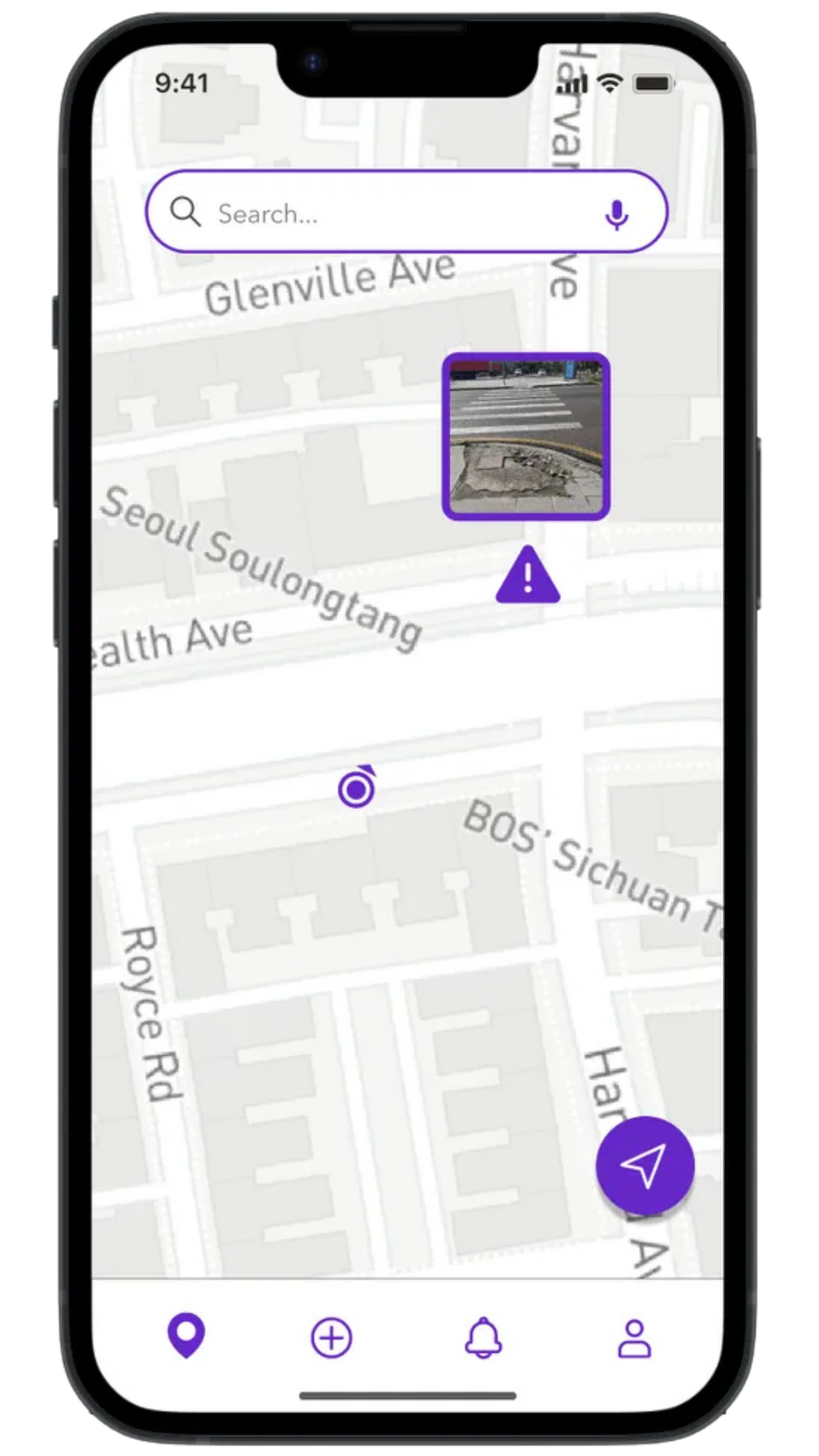
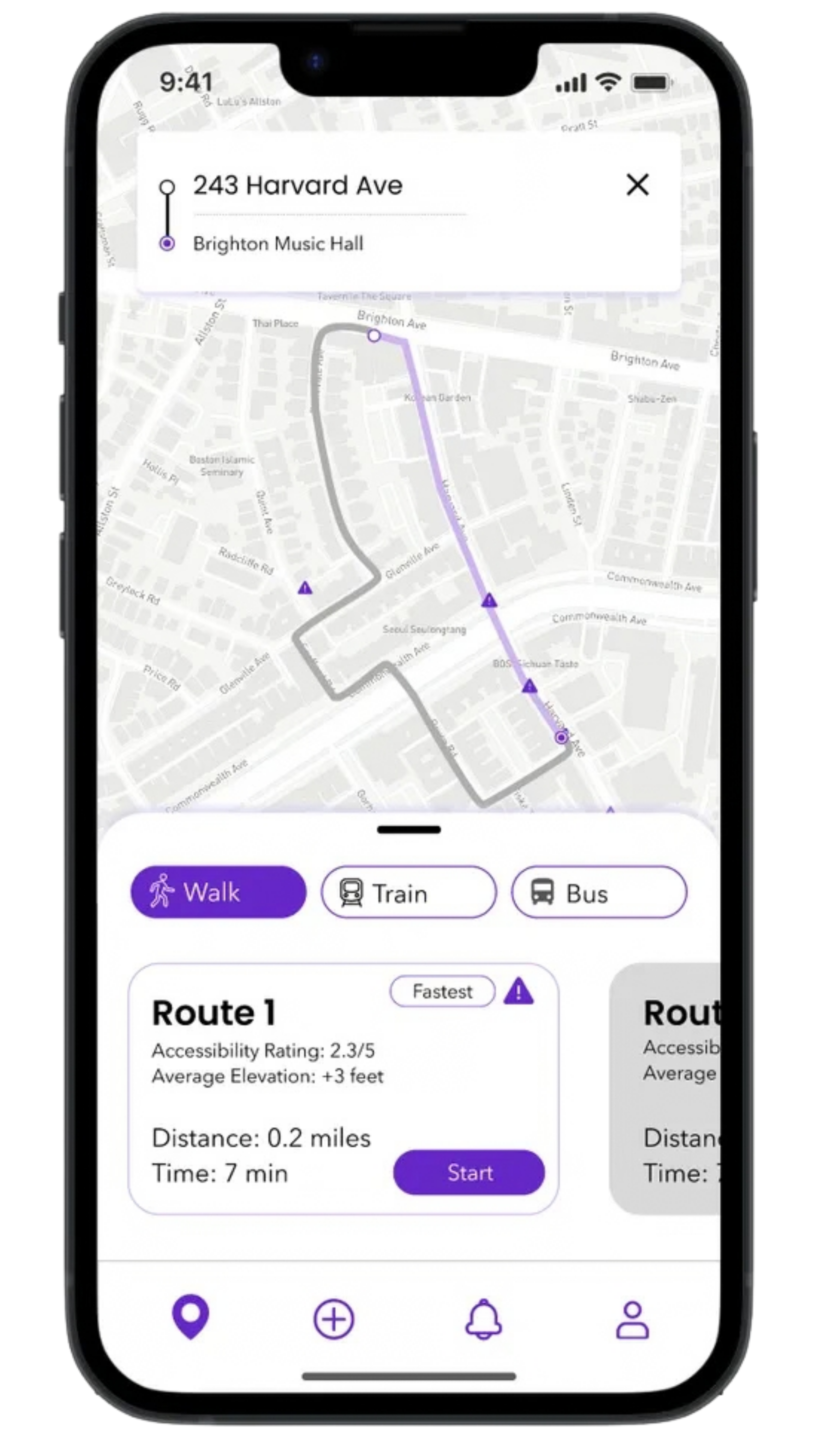
Via map view with accessibility markers and points of interest along the route
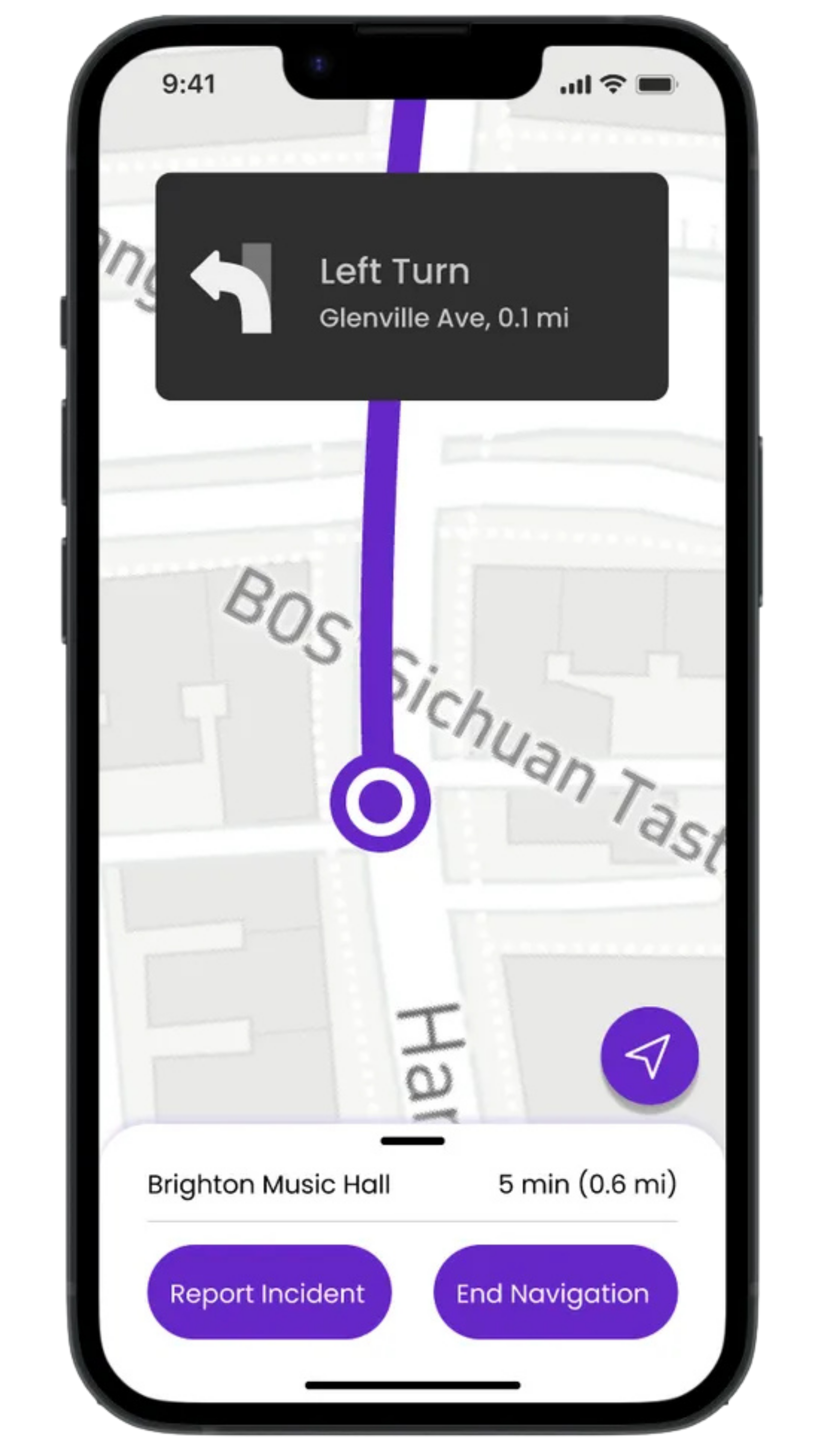
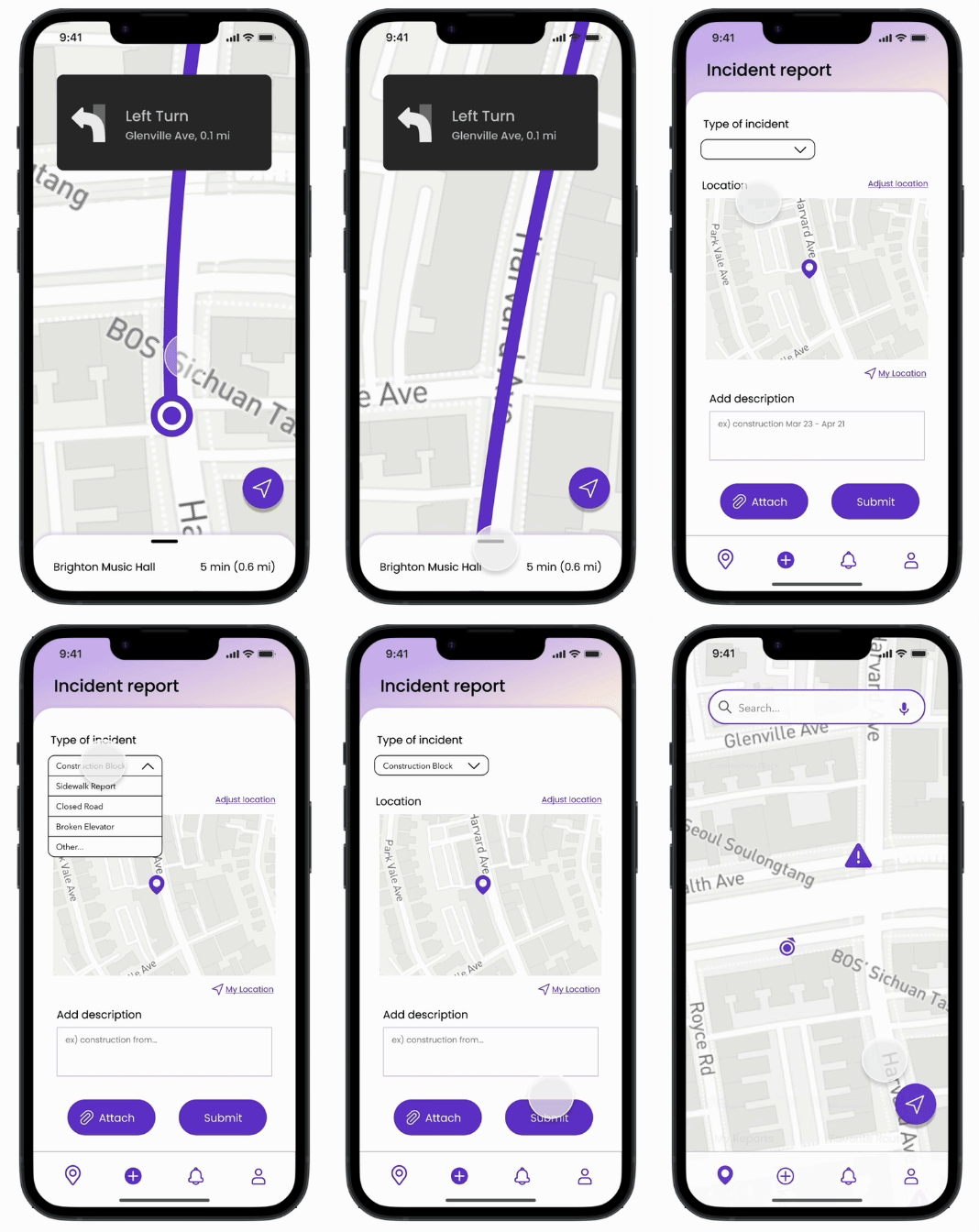
Via turn-by-turn navigation with route guidance and incident reporting actions

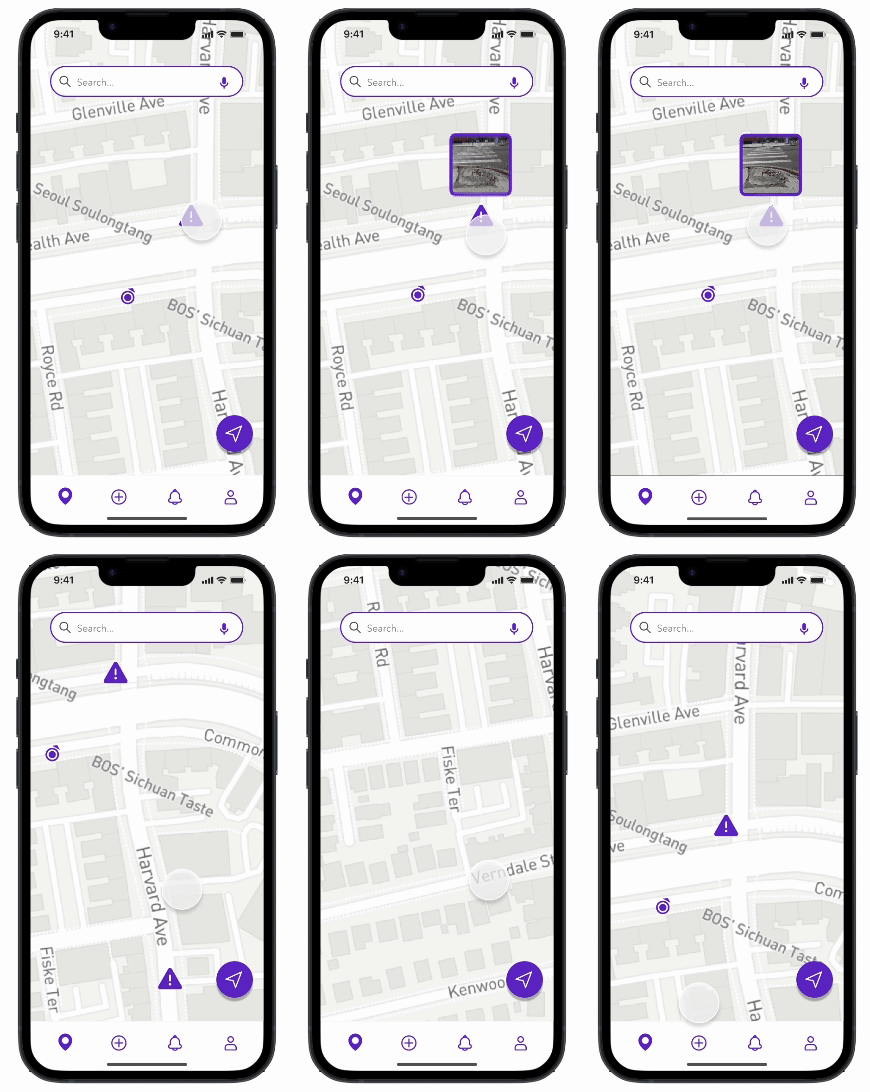
View hazards in your area and route

Stay safe by viewing any hazards in your area and along your route. Keep your journey smooth and worry-free.

Via map showing hazard markers and accessibility alerts along a planned route
Via map interaction highlighting a reported obstacle on the user's path
Via hazard detail view with incident information and route impact

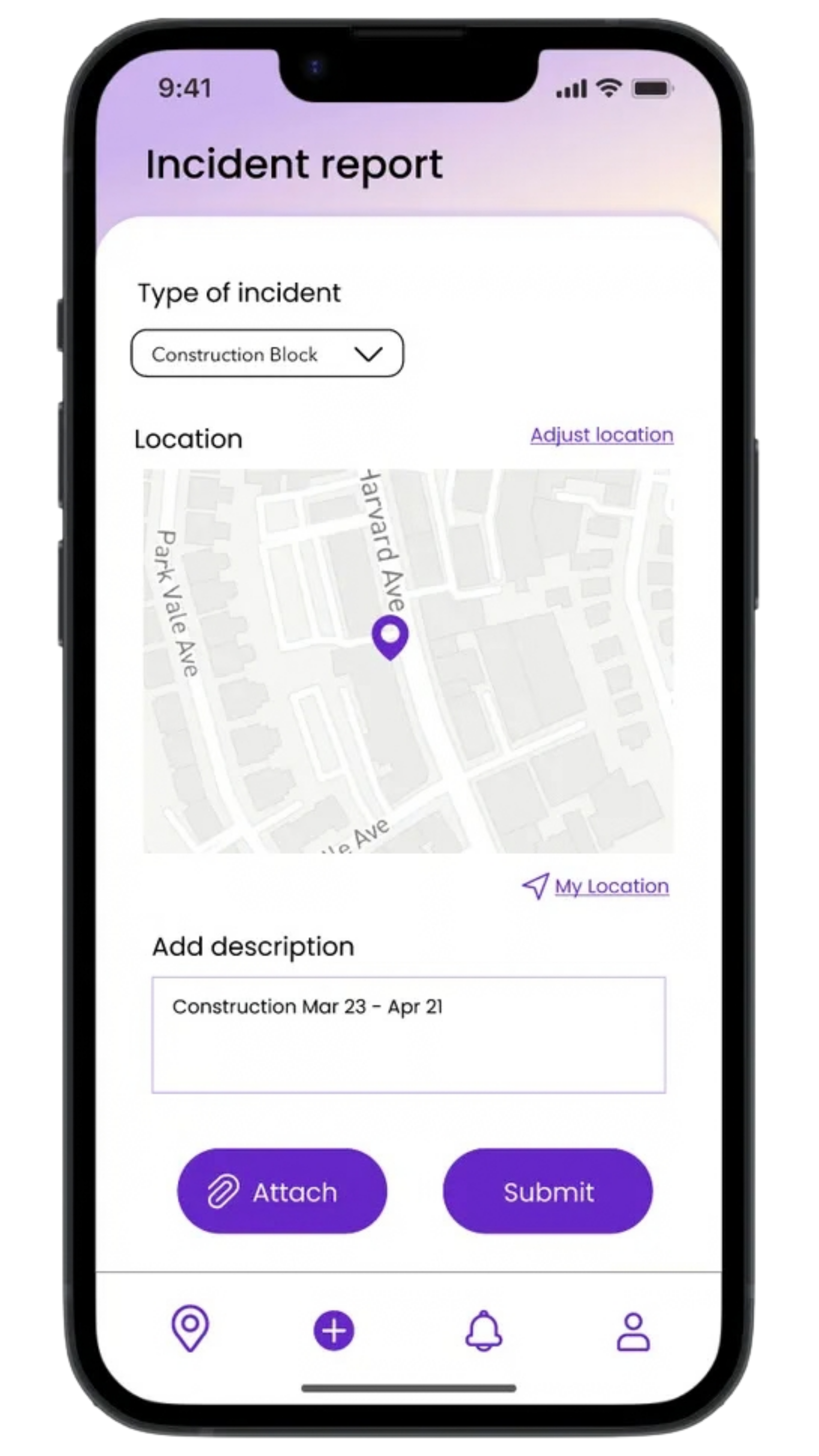
Report Live Incidents

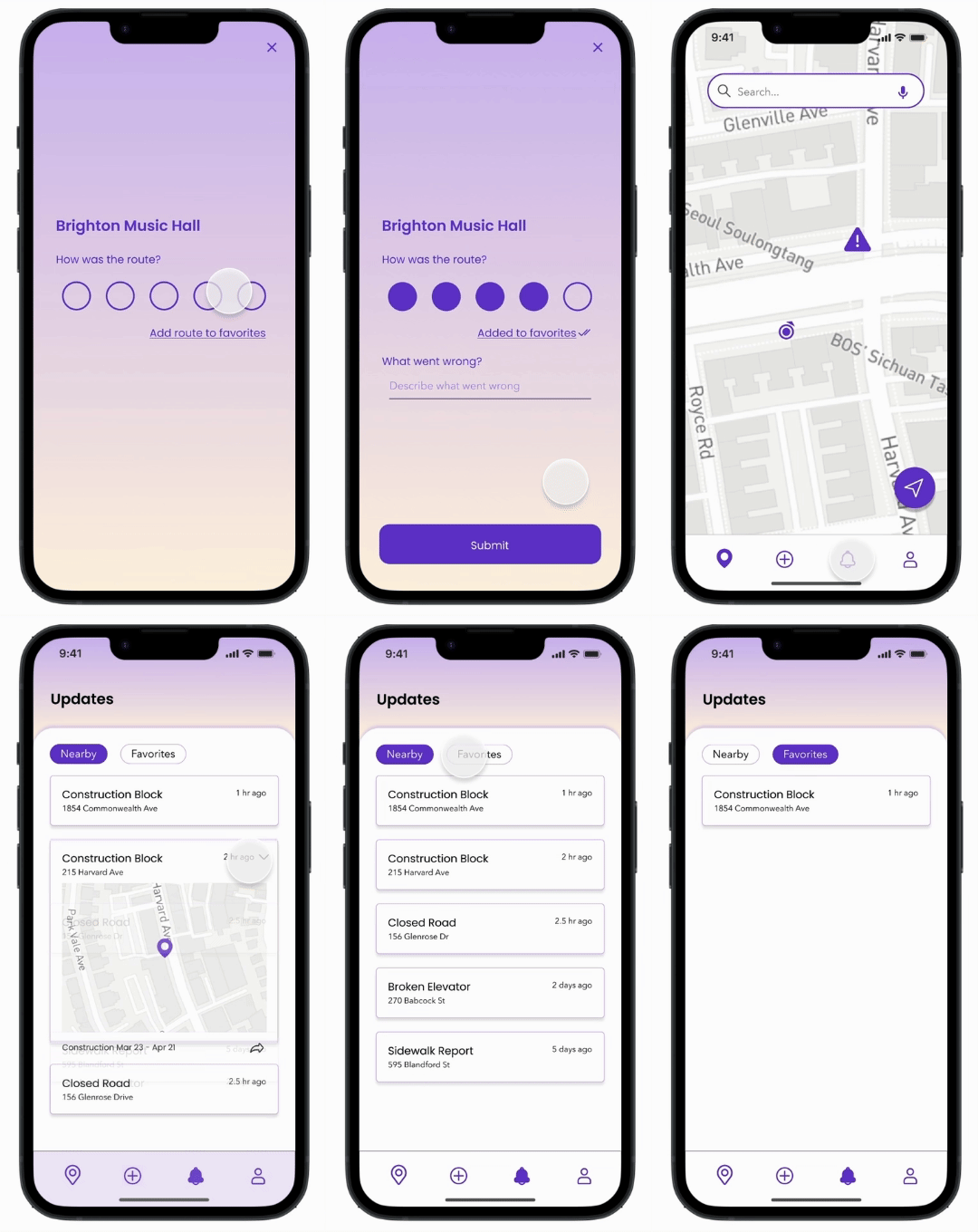
Encounter an unreported incident while traveling? No problem! Warn your community by reporting live incidents to keep everyone informed.

Via incident report form for submitting a new accessibility hazard
Via flow for attaching details and submitting a community hazard report
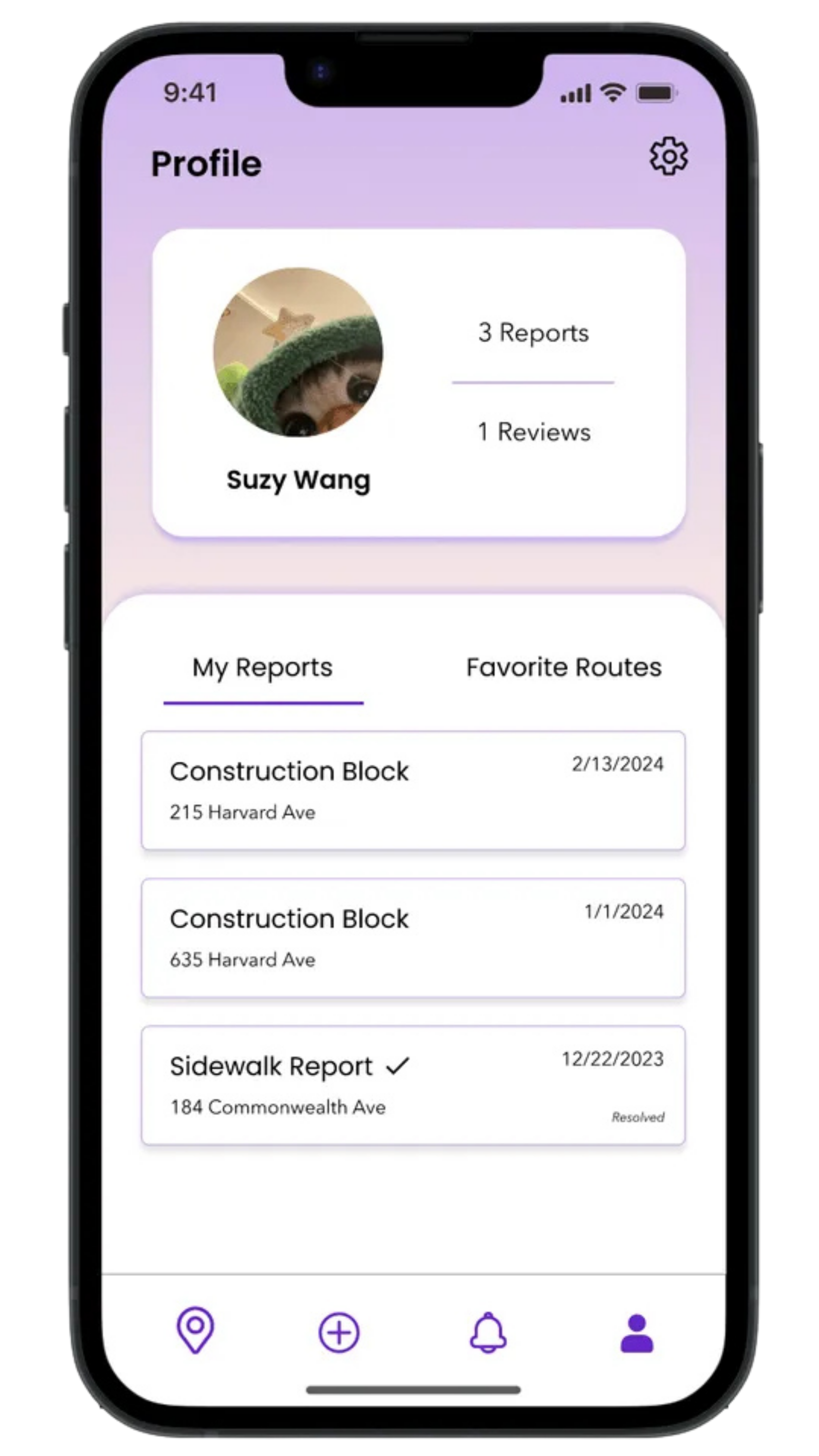
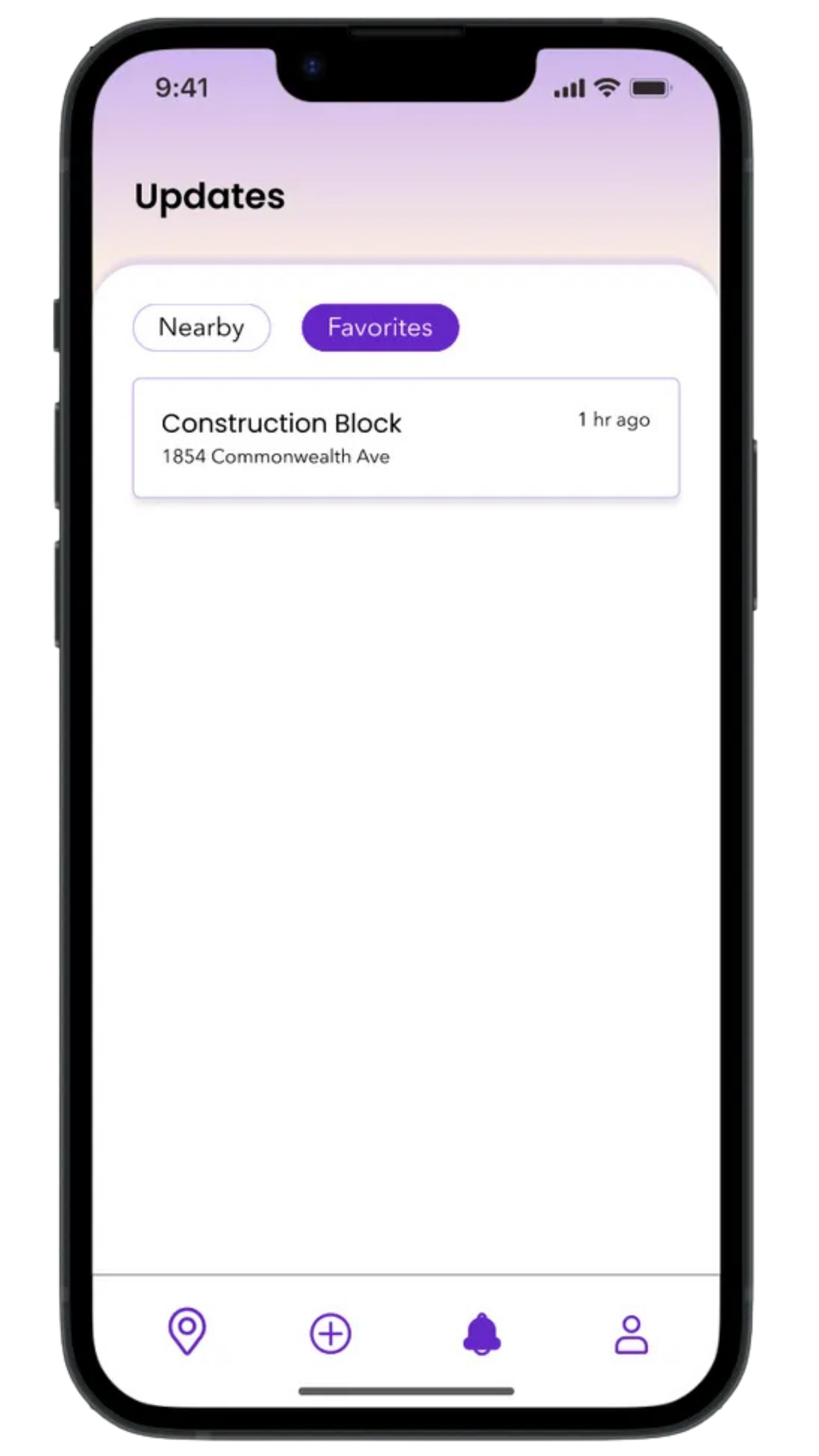
Via updates feed showing community-reported incidents nearby

Favorite Routes

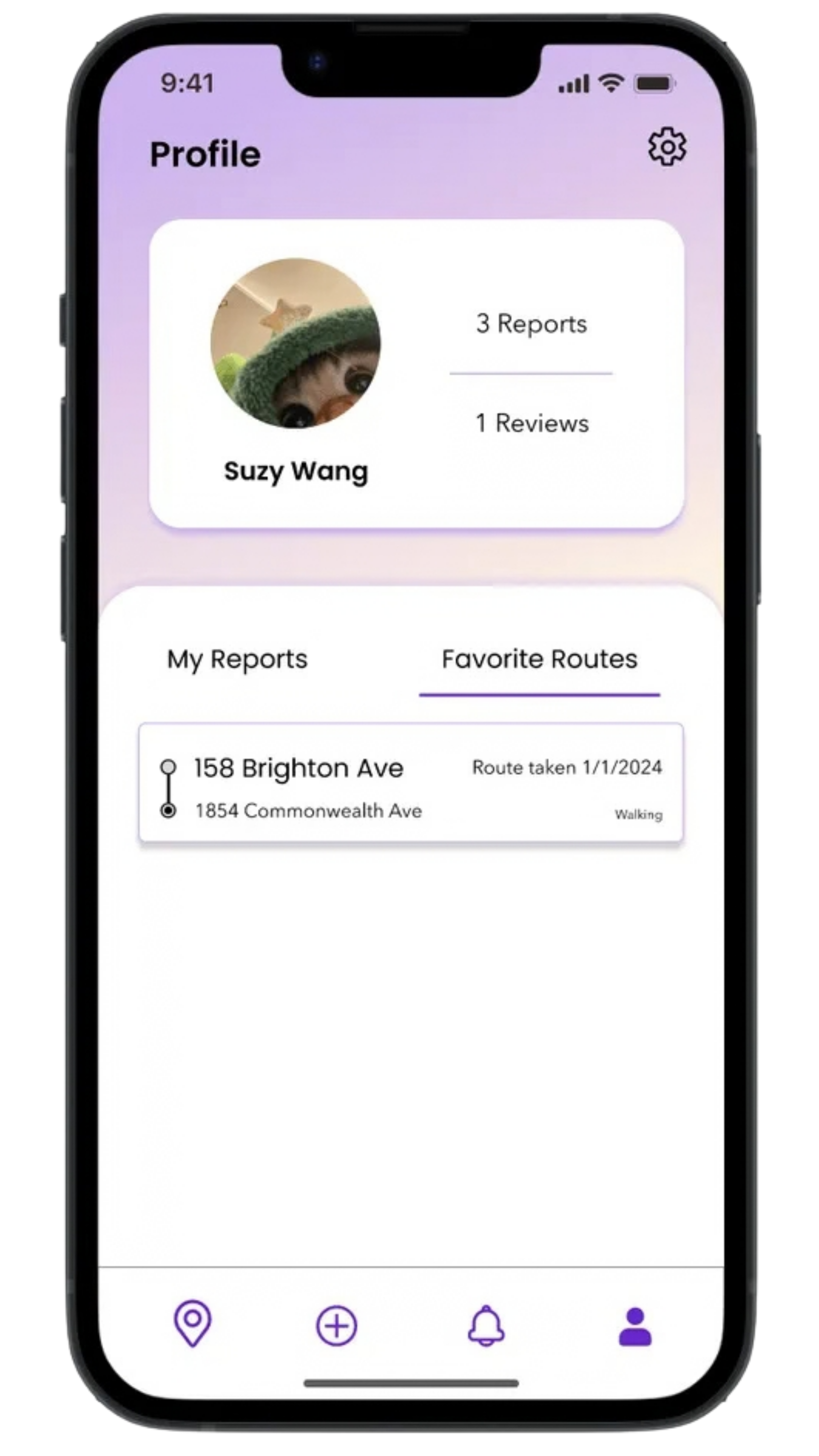
Have a go-to daily route? Save it as a favorite for quick access and stay updated on any changes or incidents along the way!

Via saved routes list for quick access to frequent trips
Via flow for saving a route and viewing accessibility updates
Via saved route detail with hazards and accessibility information

We started by understanding what makes everyday travel unpredictable

We ran a Google Forms survey with 43 city and suburban residents in March 2024. Most relied heavily on mainstream navigation apps, but rated everyday accessibility only in the mid range.

Data has shown that...

77%

use Google Maps or Apple Maps always or often when getting around.

56%

said construction and other obstacles affect their routes at least moderately.

60%

do not consider local sidewalks well-maintained or equipped with ramps and tactile paving.

3.2 / 5

average rating for overall environmental accessibility among respondents.

Response breakdown

Navigation app usage
  • Always17 (40%)
  • Often16 (37%)
  • Sometimes10 (23%)
Construction & obstacles affecting routes

1 = rarely, 5 = very often

Using routes other than sidewalks

Roads, hills, alleys, etc.

Sidewalks maintained with ramps & tactile paving
  • No26 (60%)
  • Yes17 (40%)
Overall environmental accessibility

1 = poor, 5 = excellent

Public transportation accessibility

Boarding, seating, and information

The survey responses showed a clear issue regarding daily accessibility. So much so that most respondents have noticed it in their daily travels. Although most of this data is surveyed on respondants without accessibility needs, the fact that those without accessibility needs are still noticing these issues suggests that these are not just a problem for those with mobility issues and that these issues can be a even larger inconvenience to those with mobility issues.


Themes from the survey

  1. 1. Construction and temporary obstacles can unexpectedly disrupt familiar routes.
  2. 2. Poor sidewalk conditions can force users to take significant detours.
  3. 3. Buildings do not consistently communicate whether ramps, elevators, or accessible entrances are available.
  4. 4. Accessibility information for public transportation can be incomplete or unreliable.

Synthesis of 43 Google Forms responses and follow-up review

These findings showed us that the problem wasn't simply finding a route. It was understanding whether that route would actually work for the person taking it.

We identified opportunities existing navigation tools often overlook

Brainstorming

Based off the data from the surveys we looked into some features that we thought could solve some of the pain points experienced by the users regarding accessibility and navigation.

  • Elevation tracking
  • Accessible transit indicators
  • Indoor navigation for large public spaces

Key Features

As the concepts developed, we transformed those pain points into key features that users could use.

  • Live route hazard reporting
  • Accessibility ratings for destinations and routes
  • Community-reported incidents
  • Reviews and comments from other travelers

Rather than reinventing navigation, we built on interaction patterns already familiar from products like Google Maps and Apple Maps while making accessibility information a primary part of the experience.


Designing for different types of mobility needs/personas

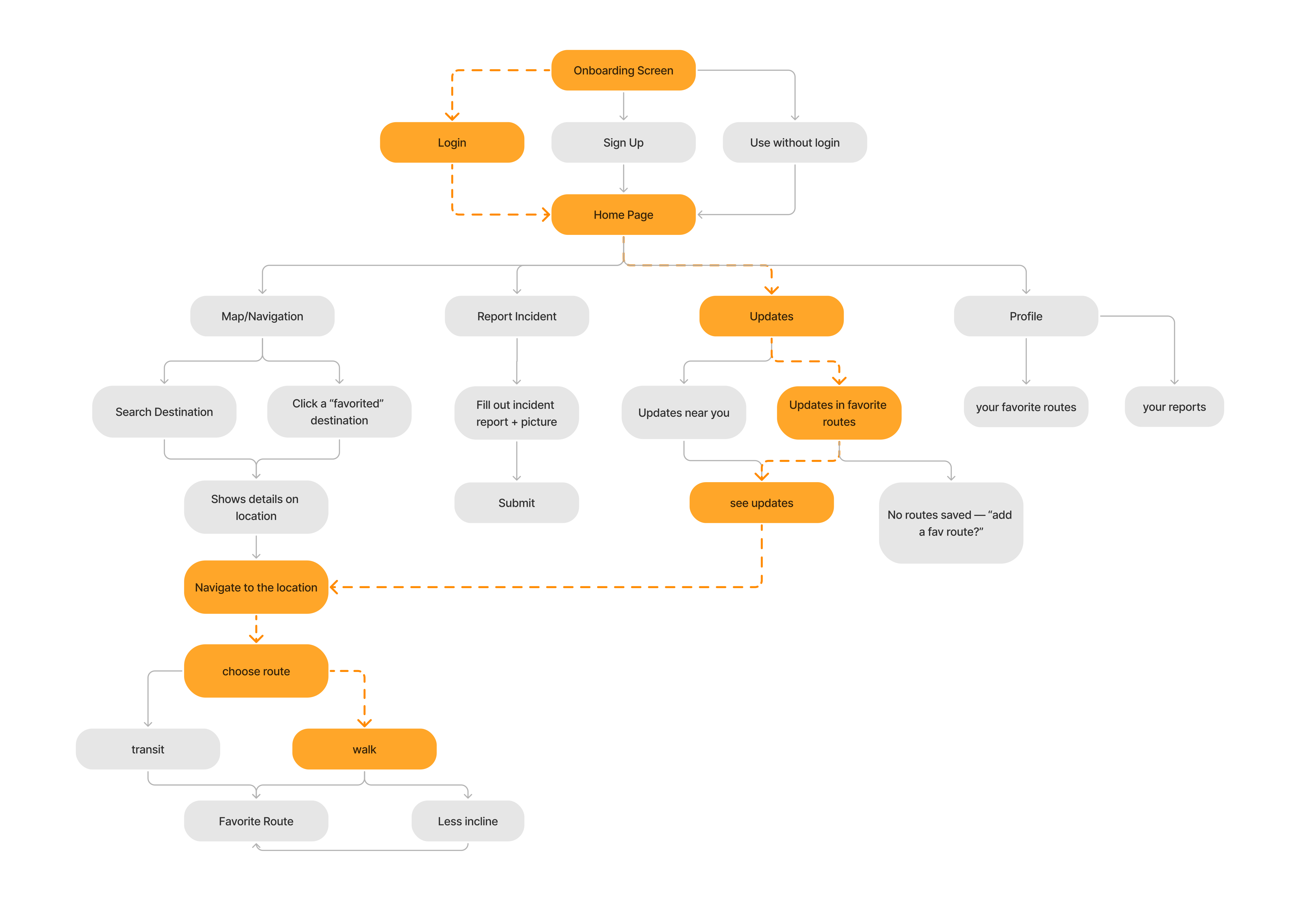
We kept three mobility contexts—permanent, temporary, and situational—and tied each one to a specific path through Via. Switch personas to see the story and the highlighted flow.

Sarah, wheelchair user and NYC teacher

Sarah · Wheelchair user · NYC teacher

“I need reliable routes to work without surprises from construction or blocked sidewalks.”

Daily commutes repeat the same streets. Sarah needs incident and route updates before she leaves, not after she is stuck.

Sarah's path through the app

  1. Home
  2. Updates on favorite routes
  3. See what's changed
  4. Navigate around it
Sarah's user journey through Via, highlighted through Updates and navigation
User flow — highlighted path shows where Sarah needs accessibility information.

Moving from branding to fully developed UI under a tight deadline

We locked name and type, then moved straight into sketches and wireframes on familiar map patterns without overpolishing any single screen too early.

Via branding exploration: name options, typeface candidates, and selected Poppins and Avenir Next pairing
Low-fidelity Via process: hand-drawn sketches, user flow, and digital wireframe screens

Branding

Low fidelity

Mid-fidelity screens translated the core journey into a testable purple UI—onboarding through navigation, reporting, updates, and profile.

High-fidelity screens polished visual hierarchy, map details, and accessibility cues—the prototype we used for final presentation and usability walkthroughs.


A navigation experience built around confidence, context, and accessibility